SuperNotes Online Features Privacy Toolbar AI Engine Mascot Studio Multimedia Compare FAQ Support Us ☕ Open App →
100% Local · No Cloud · Always Free Online
Multimedia meets Notepad

Your notes. Your machine. Zero compromise.

A beautifully crafted, browser-based note-taking app with local AI, infinite canvas drawing, wiki-linking, developer-grade exports, and procedurally generated, collectible digital companions.

No install
🔐
No account needed
✈️
100% offline
♾️
Unlimited notes
// security model

Your thoughts never leave your machine.

01
100% Local Storage

Every note, image, and checklist lives in your browser's IndexedDB. No databases, no cloud sync, no third-party servers. Your private ideas never leave your physical computer.

02
Zero Account Required

No sign-up, no email, no password, no tracking cookies. Open the file and start writing immediately. You are completely anonymous from the first keystroke.

03
Full Offline Operation

Use it on a plane, in a coffee shop, or in a high-security environment. Zero internet dependencies — ever.

// feature set

Power-user tools. Zero friction.

SuperNotes Online bridges the gap between a simple notepad and a complex knowledge manager — without the learning curve of either. Every feature is built right in.

01
Export to Socials Suite

A custom glassmorphic dropdown that formats your notes for X, LinkedIn, Slack, Discord, or Email with instant premium visual confirmation modals. Features a true standard Markdown compiler, optimistic zero-latency clipboard writes, and one-click auto-launch redirects!

Portability
02
Excalidraw Infinite Canvas

Click once to open an infinite vector whiteboard directly inside your note. Sketch architecture diagrams, wireframes, and flowcharts alongside your writing — no context switching, no separate app.

Visual Thinking
03
Bidirectional Wiki Linking

Type [[ to instantly link any two notes. Hover over links to preview the target note's content in a floating popup without losing your cursor position. All backlinks are automatically tracked.

Knowledge Graph
04
Focus Timer & Version History

Built-in Pomodoro timer with play, pause, and custom durations for deep work. Auto-saves snapshots of every note body so you can browse the full history and restore any previous version instantly.

Productivity
05
Rich Media Without a Server

Paste images from clipboard, drag-resize with live pixel labels, embed YouTube cards that bypass local security policies, and upload local videos stored directly as Data URIs in your notes.

Media
06
Mascot Studio & Collectible AI Companions

Meet your own procedurally generated developer companion! Every mascot is born with unique DNA, a rare 7-digit serial number, custom names, and gorgeous neon pixel aesthetics. Built as an interactive discovery engine, every roll offers a fresh surprise. Copy high-fidelity PNGs directly to your clipboard in one click and paste your companion instantly into X/Twitter to share your note-taking journey!

Collectible
07
Advanced WYSIWYG Editor

All essential formatting tools, checklists, syntax codeblocks, custom sizing, and real-time word counts. Now optimized with a universal tactile physics engine—every button click delivers responsive, physical, mechanical switch-style feedback!

Editor
08
Paste-to-Share Workflow

No file clutter, no upload modals. Clicking 'Share' instantly renders your mascot with vibrant OKLCH colors, centers their circular pupils, lights up their glowing visor mouths, and copies them to your clipboard. Simply hit Ctrl+V on X/Twitter to share your note-taking partner with the world!

Portability
09
Ask SuperNotes — Powered by DeepSeek

Unlock a conversational partner directly inside your notepad. Connects seamlessly with the official DeepSeek API to let you summarize complex files, ask deep questions about your second brain, write code, or brainstorm ideas in real-time — no context switching, just pure intelligent workflow.

AI Assistant
// power tools

Three rows of power.
Every tool explained.

SuperNotes Online packs a full professional toolkit into three compact rows. Here's exactly what every button does.

📂 Row 1
Document Management & Power Tools
Manages your note's lifecycle, exports, status, and system views. Lives in the top-right of the editor.
💾 Save Note
Manual Save
Instantly forces a save of all active notes to your browser's persistent localStorage. Autosave runs in the background too.
🕒 Version History
Version History
Opens the note history ledger so you can view and restore previous versions of your text whenever you need to roll back edits.
< Export to Socials
Social Share Engine
Packages your notes or custom Mascot Studio PNG directly to your clipboard for pixel-perfect posting on Twitter/X.
⌛ Focus Mode
Focus Mode
Toggles a clean, distraction-free view that hides the sidebar and peripheral buttons so you can concentrate solely on writing.
📌 Pin Note
Pin Note
Pins the active note to the absolute top of your sidebar list, marked with a gold ✦ badge, so it's always one click away.
🗑️ Archive / Delete
Archive & Delete
Archives your current note — or deletes it permanently if already archived — to keep your main workspace clean and uncluttered.
[I] Sidebar Toggle
Sidebar Toggle
Collapses or expands the left-hand notes list and search bar, giving you maximum screen real estate for your content.
⏱️ Pomodoro Timer
Pomodoro Focus Timer
Launches an interactive productivity timer directly inside the workspace to help you pace and structure your writing sessions.
</> Source Code
Source Code Editor
Toggles the editor into a raw HTML view, letting developers inspect, modify, and clean up the underlying markup directly.
🖨️ Print / PDF
Print & PDF Export
Generates a print-friendly preview and triggers your system dialog to save your notes as a clean, professionally formatted PDF.
🎨 Row 2
Advanced Media, Sketching & AI Plugins
Handles interactive modules, embeds, canvas sketching, and artificial intelligence. The middle row of the editor toolbar.
🎭 Mascot Studio
7-Digit DNA Companions
Launches the custom retro-pixel canvas studio. Generates, renames, and exports your unique 7-digit DNA companion mascots with screen-accurate square eyes.
NOTE Label
Label Tag Pill
Displays and modifies your note's active classification — BUG, IDEA, SNIPPET, TODO, NOTE — with colored dot-markers for instant visual sorting.
🕐 Timestamp
Updated Timestamp
Displays the exact date and time the active note was last modified so you always know how fresh your content is.
📷 image
Local Image Uploader
Opens your system explorer to upload and embed local .png, .jpg, or .webp files directly into your note body.
🎥 video
Local Video Player
Uploads and embeds a local .mp4 or .webm video player directly inside your text workspace — no external hosting needed.
🔗 youtube
YouTube Embedding Tool
Paste any YouTube URL to instantly render a responsive, inline video player directly inside your note.
⬅️ left · center · right ➡️
Text & Paragraph Alignment
Instantly sets highlighted text or the active paragraph block — Left, Center, or Right — with a single click.
✏️ Excalidraw
Vector Drawing Canvas
Embeds an interactive, vector-based whiteboard drawing tool inside the note for sketching flowcharts, diagrams, and hand-drawn notes.
🥔 Blotato
Blotato Integration
Opens Blotato — the premier social media automation & API platform — to schedule your posts and automate your content.
✨ Ask SuperNotes Online
DeepSeek Assistant
Opens the advanced sidebar powered by the DeepSeek API to summarize notes, brainstorm, outline, or generate code — right inside your workspace.
✍️ Row 3
Rich-Text Formatting & Color Palettes
Your everyday writing bar — text styles, lists, find tools, highlight markers, and format eraser. The bottom row of the editor toolbar.
B · I · U · S
Text Styling
Formats selected text as Bold, Italics, Underlined, or Strikethrough. Also bound to Ctrl+B, Ctrl+I, Ctrl+U keyboard shortcuts.
— Divider
Horizontal Rule
Inserts a clean, modern separating line to visually section off different parts of your content.
• Bullet List
Bulleted List
Creates a modern, clean bullet-point list for organizing unordered items at a glance.
1. Numbered
Numbered List
Creates an ordered, auto-incrementing numbered list — perfect for step-by-step instructions or ranked items.
☑️ Checklist
Interactive Checklist
Inserts interactive checkboxes so you can manage action items and task lists directly inside your notes.
🔗 Hyperlink
Add Hyperlink
Inserts clickable external web links directly into your text — keeps your notes connected to the wider web.
🔍 Find
Find within Note
Launches the internal keyword-search and highlighting bar to locate any word or phrase instantly within the active note.
Size ▾
Font Sizing Dropdown
Changes the font size of selected text with a dropdown picker for fine-tuned typographic control.
Highlights
Text Marker Highlights
Applies vibrant, semi-transparent background marker colors to highlight critical key-phrases in your notes.
Border Cards
Border Card Outlines
Wraps selected text blocks inside a stylish, high-contrast, rounded border card — ideal for code blocks or callout warnings.
</> Inline Code
Inline Code Block
Formats selected text with a sleek monospaced font style — ideal for programming snippets and technical references.
<> Raw HTML
Raw Block HTML Toggler
Displays the raw HTML code of only the currently selected segment for surgical markup editing.
❌ clear
Format Eraser
Strips all styles, colors, and links from selected text, reverting it back to clean, standard plain text instantly.
abc 🌐 Spellcheck
Scribens Proofreader
Instantly launches the powerful, world-class Scribens spelling and grammar editor in a new tab for deep proofreading.
✉️ Support
Support Email Button
A frosted-glass email button that triggers your system mail client directly to info@SuperNotes Online.online with a single click.
// dual intelligence

Intelligent reasoning.
Local privacy.

SuperNotes Online gives you the best of both worlds: 100% private local intelligence and cutting-edge global reasoning.

📡 Local Connection Engine — Runs a private TF-IDF similarity engine in the background to automatically find connections and suggest bidirectional links as you type. Every match is ranked by a cosine similarity score — the higher the %, the stronger the connection.

🤖 Ask SuperNotes Chat — Pull up the conversational command center powered by DeepSeek's official API to query your notes, outline new articles, or refactor code instantly inside a gorgeous, non-intrusive chat window.

Term Frequency Analysis Cosine Similarity 100% offline DeepSeek API No context switching Ask anything
📝
Project Architecture
Current note — scanning...
TF-IDF cosine similarity
🔬
API Research
REST vs GraphQL deep dive
92%
📋
Meeting Notes
Q2 planning session
74%
📚
Reading List
SICP, Clean Code, DDIA
41%
30%+ highly related · 10–30% loosely related · <8% filtered out
// mascot studio

Your companion.
Unique for eternity.

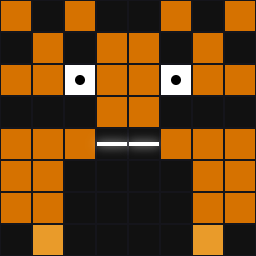
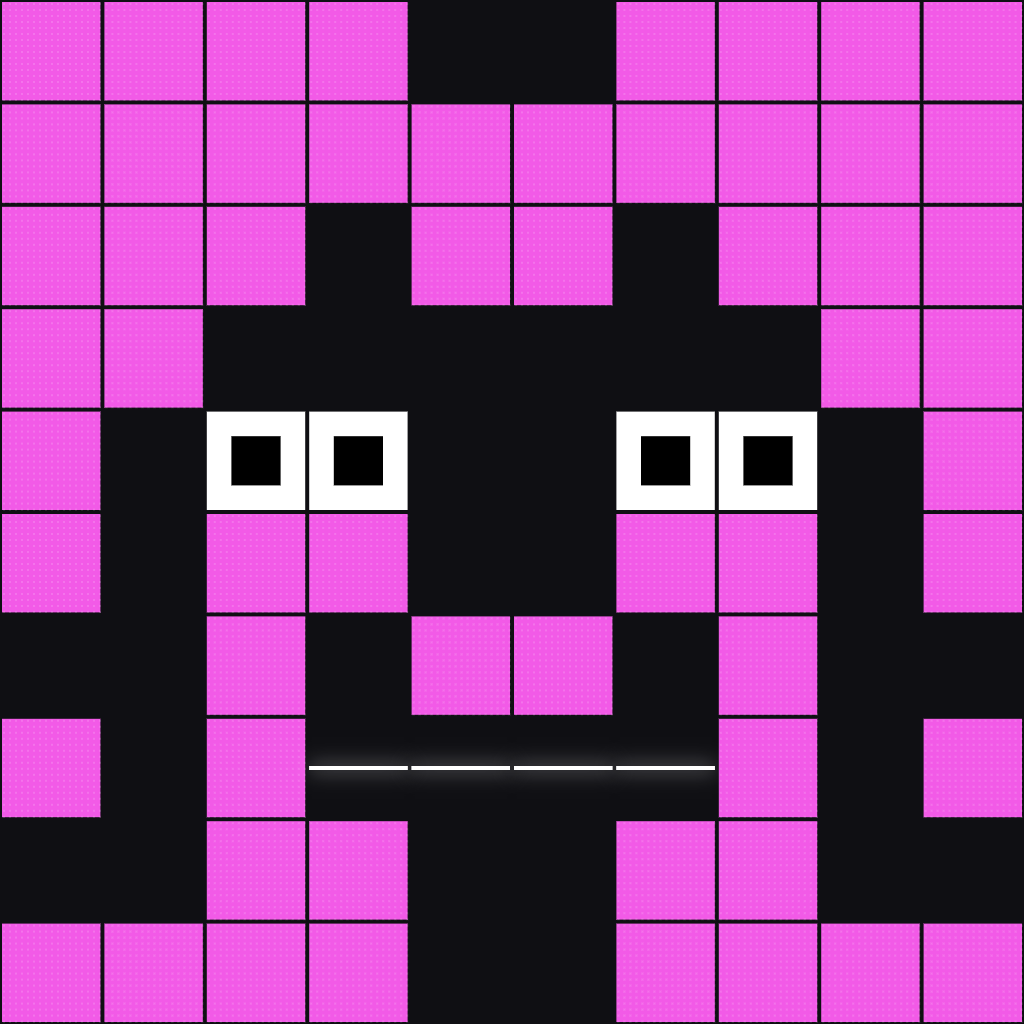
Every SuperNotes Online user gets a procedurally generated developer companion born with a rare 7-digit serial number, a unique name, and gorgeous neon pixel aesthetics that are entirely their own. Roll a fresh companion on every session, download a high-fidelity PNG in one click, and paste your mascot directly into X/Twitter — no uploads, no friction, just pure collectible personality living right inside your notepad.

Finn mascot
Ampster mascot
Fluxmo mascot
Astro mascot
360
Hues
Full spectrum color variation across every mascot generation — no two share the same palette.
30M+
Name Combos
Thirty million unique name combinations mean your mascot's identity is as individual as your notes.
1.1 Quadrillion
Grid Possibilities
The visual grid engine produces 1,100,000,000,000,000 unique mascot designs — effectively infinite.
🚀
You could never see the same mascot twice.
Generate a new mascot every second for 35 million years and never encounter a duplicate. Your companion is yours — and only yours — forever. 🌌📖🎨🛡️
// multimedia

Multimedia
meets Notepad.

SuperNotes Online turns your notes into a rich multimedia workspace — images, videos, and YouTube players live alongside your writing without ever touching a server.

🖼️
Drag, Drop & Embed

Drag-and-drop local images and videos directly into any note, or paste a YouTube URL to instantly embed a fully interactive player — no upload, no server, no waiting.

Interactive Image Handling

Click any image to reveal a professional overlay with Left / Center / Right alignment controls. Drag the corner handles to resize with a live pixel-dimension label updating in real time.

Adaptive Workspace

Toggle between a focused Reading width for distraction-free writing and Full Width mode for rich media layouts — one click switches between the two.

Media: 🖼 image 🎬 video 🔗 youtube ⇐ left ≡ center ⇒ right
// how it stacks up

Not another
cloud notepad.

Every competitor stores your data on their servers. SuperNotes Online stores it on yours.

Feature SuperNotes Online Notion Evernote Obsidian
100% local, no cloud ✓ Yes ✗ No ✗ No ✓ Yes
No sign-up required ✓ Yes ✗ Required ✗ Required ~ Optional
Free — no plan limits ✓ Unlimited ~ Limited free ~ Limited free ~ Free (no sync)
Single file, zero install ✓ Yes ✗ No ✗ No ✗ Requires app
Local AI (no API key) ✓ TF-IDF engine ~ Paid AI add-on ✗ No ~ Paid plugins
Infinite canvas drawing ✓ Excalidraw ✗ No ✗ No ~ Paid plugin
Bidirectional wiki links ✓ Yes ✓ Yes ✗ No ✓ Yes
Works fully offline ✓ Always ~ Partial ~ Partial ✓ Yes
One-click Markdown Export ✓ Yes ✓ Yes ✗ Poor ✓ Yes
// frequently asked

Common questions.

Is SuperNotes Online completely free?

Yes. SuperNotes Online is 100% free with no plans, no paywalls, and no feature limits. You open it in any browser — nothing to install, nothing to pay for.

Does SuperNotes Online store my notes in the cloud?

No. Every note, image, and checklist is stored locally in your browser's IndexedDB. No data is ever sent to a server. Your notes never leave your physical device.

Do I need to create an account?

No account, email, password, or tracking cookies — ever. Open the file and start writing immediately. You are completely anonymous from the first keystroke.

Does it work offline?

Yes, completely. SuperNotes Online is an app with zero external dependencies. Use it on a plane, in a coffee shop without Wi-Fi, or in any environment without internet access.

What AI features does SuperNotes Online include?

SuperNotes Online runs a local TF-IDF (Term Frequency-Inverse Document Frequency) engine that automatically surfaces related notes as you write. No API key, no internet, no cost. It runs 100% in your browser.

How is SuperNotes Online different from Notion or Evernote?

Notion and Evernote store your data on their servers, require accounts, and have plan limits. SuperNotes Online stores everything locally, requires no account, works fully offline, and is free forever — plus it includes a local AI engine and Excalidraw infinite canvas that competitors charge for.

Does SuperNotes Online include a spellchecker?

Yes! SuperNotes Online features an interactive abc 🌐 button directly in the formatting toolbar that links seamlessly with Scribens — one of the most powerful and reliable free online grammar and spelling proofreaders on the web. Clicking it opens your proofreading companion instantly in a new tab.

// ready to write?

Start free.
Stay private.

No downloads. No accounts. No cloud. Just open the app and start writing — your notes live on your machine, forever.